Sunday, 29 April 2012

Virus that shut down your friends PC


Hi friends, In my previous post, I have told you how to make shortcut to shut down windows. This virus takes the advantage of the same trick. You can send this virus to your friends in email attachment. As soon as he double click on this shortcut, his computer or laptop will shut down. Isn't it interesting??

As its not a real virus, so antivirus will not block it while attaching. But remember, you wont be able to directly attach this file. For that, first of all put this shortcut in a folder and then compress the folder using winrRAR. Now send this compresser folder.

Here is the overall process. Follow it:
Read more �
Read more...

How to easily shutdown Windows 8 or 7

Hi TTH readers. Window 8 has slightly lengthy procedure to shutdown it. So, I am going to tell you the shortest process for it.

Follow these simple procedure:

Method 1

1. Right click on Desktop.
2. Go to new and select shortcut.
3. In the location box, type:

C:\Windows\System32\shutdown.exe -s -t 05 -c "Shutting down...."
Read more �
Read more...

Friday, 20 April 2012

Different editions of windows 8


Today I would like to share information with you on the editions that will be available for "Windows 8" when it is released to market. We have talked about Windows 8 as Windows reimagined, from the chipset to the user experience. This also applies to the editions available � we have worked to make it easier for customers to know what edition will work best for them when they purchase a new Windows 8 PC or upgrade their existing PC.
Windows 8 has the flexibility you need - whether you�re on an x86/64 or a WOA PC. You can use a touch screen or a keyboard and mouse � and switch anytime. It�s beautiful, fast, and fluid design is perfect for a wide range of hardware. And you�ll love browsing through the Windows Store and downloading all the apps you want. And those apps can work together too so you can share photos,
Read more �
Read more...

Download Window XP 64 bit in less than 10 MB

Hi friends! First of all I would like to ask you a question. Tell me whats the size of windows XP 64bit boot DVD???
Sorry!! I am unable to hear you.
YES!! Its approx 3.5GB(Some are in 3.4GB and many are in 3.67GB). But Today I am giving you windows in 10MB. Dont worry, its of 3.4GB and compressed to 9.6MB and having all the features as in of 3.5GB.
Read more �
Read more...

Facebook cheat: How to write Flipped/ Upside down text


Hello friends, today I am going to give you link of a page which will give you the text in inverted form as you type. People always thinks to write something new in facebook status. In my previous trick, I have told many facebook cheats. Once again I am going to show a new cheat. It can surprise you friends. Visit this page.

You can write even reversed text. Go to this site or fliptext.

Follow my blog, if you like the post.


Read more...

Monday, 9 April 2012

Virus that makes folder inside a folder infinitely

Hi TTH readers, today I am going to make a virus in notepad that that makes infinite number of folders inside a folder till your hard disk drive gets full.

You can use this trick to fool you friend.

Follow these steps:
1. Open Notepad and copy paste the following code in it.
Read more �
Read more...

Virus that floods desktop with folders

Hi TTH readers, today I am going to make a virus in notepad that floods your PC desktop with unlimited number of folders.

You can use this trick to fool you friend.

Follow these steps:

1. Open Notepad and copy paste the following code in it.

Read more �
Read more...

Download youtube video in mp3 format

Hi TTH readers, today I am going to tell you how to download youtube videos in mp3 format even if your college has blocked youtube. No doubt you can do it with any other software but I am going to tell you to do it online.

Follow these simple steps:
1. Search for any video in google. There is no need to search if you already have the link.
2.Copy link address.
Read more �
Read more...

Thursday, 29 March 2012

How to Send Hidden Text in Mail (Email Steganography)

How to Send Hidden Text in Mail
just go to spammimic.com

here u can encode/decode your message into spam.
to encode messahe click on encode

Read more �
Read more...

Monday, 26 March 2012

Steganography (Hide File behind image or audio file)

What is staganography?
The art and science of hiding information by embedding messages within other, seemingly harmless messages.
 You can embed or hide your secret data in photo or in audio files.

How to embed data into jpg image or in audio file?


Steps:

1) Download the Steghide software: Click here

2) Now Extract it.

3) Goto Start then open Run and then Type cmd and click on ok.

 4) Now Goto the directory where you extract the software in CMD.
e.g: C:\users\Bangash\Download\..\steghide
you can use cd command to do this as shown below.


5) Now Type steghide.exe in cmd and press enter.


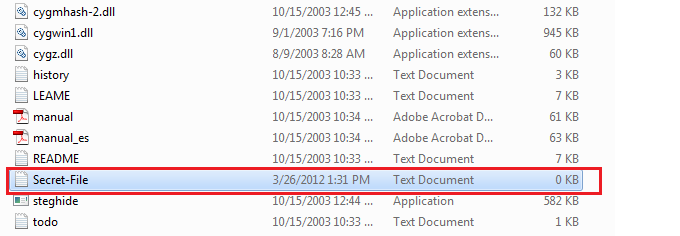
 6) Now Copy your secret file and the cover file in which you want to embed the secret file into the steghide folder.


7) Now type this command in cmd .
steghide embed -cf picture.jpg -ef secret.txt

Note: picture.jpg is the file where you want to embed file and secret.txt is your secret file.If your file name is change the type your file name as it is.

8) when type above command then Press Enter key then it will telling you to enter passphrase.
Now enter Password or passphrase for your file .
Note: when you are typing passphrase  it is not shown but behind it is stored .


9) Now your File is hide or embedded in your jpg image. (You can do this for audio file also).

10) If you want to see your secret file into your computer or in other computer then you will use this commands.


i) First of all copy you cover file in which the secret file is embedded to steghide folder.
ii) There will be no secret file before you run the command. Now Enter this command in the cmd.
steghide extract -sf picture.jpg
Note: picture.jpg is the cover file where the secrect file is embedded and if your file name is change then type your file name instead of picture.jpg.


ii) when you press enter then it will ask you to enter passphrase. Enter your passphrase which you enter when you first embed it and press enter and finally your secret file will be extract to steghide folder and use it.


Enjoy......................

Video Tutorial :

:: Advertise Here::


:: If you want to Advertise here then Email us : bangash.hacker@gmail.com ::


if you have any problem then mention it in comment.
The Bangash Hacker

Read more...

Send self-destructible mail that can be read only once


Hey! You might have seen movie mission impossiible in which mail is auto destroyed after it is read. You might have thought that its wrong.
No, Its true. You can also send such mails. You can send mails that can be read only once. After that it automatically gets destroyed. This trick can be used to send some personal data to any friend or relative.
Read more �
Read more...

Sunday, 25 March 2012

ROOTING TUTORIAL

 What we need?
-RFI Vulnerable Script
-PHP Shell
-Netcat
-Brains

First of all, we need to get a shell on a site.
For this tutorial i will be using MulCi Shell.

So, once you have it on a site, go to the 'Backdoor Host' tab and forward a port.

Now, go to the 'Back Connect' tab and insert the following settings:


1- Your IP Address.
2-The port you forwarded.

Now, go on CMD and type in:cd 'Path To Your Netcat.exe' and then you need to make netcat listen to the port you forwarded.To do this, type:nc -l -n -v -p port

It looked like this for me:

Microsoft Windows XP [Version 5.1.2600]
� Copyright 1985-2001 Microsoft Corp.

TO Check full threads
follow this links------->>

Read more...

Saturday, 24 March 2012

Trick To Send Colorful Text in Facebook Chat

Hi Friends , Today I am telling you about " How to send colorful text in Facebook Chat".
Below list of all Alphabets code is give and just copy paste it into your FB chat.
Note: If you want to write full name or sentence then  give space between lattes.
e.g:  [[107015582669715]] [[116067591741123]] [[115602405121532]]
There is one space after every code so just press space bar after every code you paste.


All Alphabets Codes:

A = [[107015582669715]]
B = [[116067591741123]]
C = [[115602405121532]]
D = [[112542438763744]]
E  = [[115430438474268]]
F  = [[109225112442557]]
G  = [[111532845537326]]
H  = [[111356865552629]]
I  = [[109294689102123]]
J  = [[126362660720793]]
K = [[116651741681944]]
L  = [[115807951764667]]
M  = [[106596672714242]]
N  = [[108634132504932]]
O  = [[116564658357124]]
P  = [[111669128857397]]
Q  = [[107061805996548]]
R  = [[106699962703083]]
S  = [[115927268419031]]
T  = [[112669162092780]]
U  = [[108983579135532]]
V  = [[107023745999320]]
W  = [[106678406038354]]
X  = [[116740548336581]]
Y  = [[112416755444217]]
Z  = [[165724910215]]


Only Copy the red part and past it into Facebook chat.
Sample:


:: Advertise Here::


:: If you want to Advertise here then Email us : bangash.hacker@gmail.com ::


If you have any problem then mention it in comment.
The Bangash Hacker

Read more...

Monday, 19 March 2012

Protect USB files With Password


Hi Friends, Today I am telling about how to protect files in USB Flash .If you want to protect files in USB Flash Drive then use this trick.

Steps:
1) First Download Software:  Click here

2) Extract it and Copy file to USB Flash Drive.(It contain only one file)
Note: This software run only from USB so you must copy it to your USB Drive.


3) Now Run the Software and you will see look like this.


4) After Running Enter Password and click OK.This password will be needed when you access your file again.


5) When you click on Ok then it show a Message Dialog Box and it tell you that you want to save your password in you computer in text file or not.If you want to save you password in computer then click Yes and if you did not stored your password in computer then click on NO.


6) Now a windows will be open where you can protect your files.
i) You can drag and drop file into window one by one  and click on Encrypt
.ii) Or you can encrypt all file by direct click on Encrypt All. This will encrypt all of you data which is in your USB.


7)After you clicking on Encrypt or Encrypt All , you will see a message box and asking you to how hide your data.Just use default which Zero Out Data option and click ok.

8) Your file are protect now and if you want to use your file then run your software again and enter your password then you can Decrypt  one by one file by clicking on file and then click on Decrypt OR you can decrypt all files by clicking on Decrypt All.


a) 
b)
Enjoy.......................


Video Tutorial:


:: Advertise Here::


:: If you want to Advertise here then Email us : bangash.hacker@gmail.com ::


If you have any problem then mention it in comment.
The Bangash Hacker
Read more...

Saturday, 17 March 2012

Make your own search engine like Google

Hello friends! Today I am going to tell you how to make a search engine with your own name.
Follow these steps:

Method 1
1.Go to goglogo.
2. Type your name and hit enter. Your search engine is ready.

Read more �
Read more...

Friday, 16 March 2012

How to create temporary email id

If you are fed up of making a new email id for new accounts. there is solution,...

Here is a way to make email id for 10 miniutes. you can make id for 10 ,iniutes whuch you can use for registration conformation for many sites...


When you open site you can get an temporary email address....
Here in picture below d207768@rppkn.com is your temp. email address.....you just copy this and use it in registring your account.
Read more �
Read more...

Sunday, 11 March 2012

Learn To Build Your Own Computer - Video Tutorial

Build Your Own Computer
While watching videos on youtube i found some amazing and usefull videos on building your own computer. If  you want to learn or are afraid of opening your own compute then watch this videos and you wont be anymore. You will learn how to choose motherboard, ram, harddisk etc and how to assemble them. So lets get into it.


Congratulation !! You just learned how to build your own computer if you are interested in such more tutorials then comment below.

Read more...

Saturday, 10 March 2012

Make a super hidden folder in windows

Today I will show you how to make a super hidden folder that cant be seen by anyone except one who have made.
Normally, when you make any folder hidden by right clicking on it and setting its property to hidden, the it can be shown by clicking "show hidden files and folders" in the folder options. But, in my trick, after enabling "show hidden files and folders" also, you will not be able to see the folder.

Read more �
Read more...

Friday, 9 March 2012

Increase Bandwidth Speed by 20%


Hi Friends , Today I am posting how to speed up internet.This trick work only in windows system. As Windows itself take 20% of the bandwidth of a connection and use it for updates and other stuff. So get back the 20% from Windows and use it.

Steps:

1) Goto Run and type gpedit.msc then Press Ok.

2) A Local Group Policy Editor will be open.
Click on Administrative Templates which under Computer Configuration and then double click on Network which in right side of window as shown below.


 3)After that you will see more options and double click on QoS Packet Scheduler.

 4) Now double click on Limit reservable bandwidth.


 5) A new Window will be Open and select Enable radio button and in Option Pane set Bandwidth Limit(%) to 0 and click apply and OK.

 You have get 20% of bandwidth from windows and now your internet speed will be fast .


Video Tutorial of this Trick:


:: Advertise Here::


:: If you want to Advertise here then Email us : bangash.hacker@gmail.com ::


If you have any problem then mention it in comment.
The Bangash Hacker
Read more...

Thursday, 8 March 2012

Free calling to any mobile


Dial a MOBIVOX access number in over 40 countries or have MOBIVOX calls you back. Simply say the name of the contact or dial the number to connect with anyone, anywhere.


Read more �
Read more...

Monday, 5 March 2012

MAKE MONEY ONLINE USING ADF.LY

First method to make money online by sharing links is ADF.LY
It is a best paid url shortning service.The average rate of pay is $4.00 per thousand clicks. $4.00 may sound small, but just think for a second. How many people use Facebook? Over 500 million people use Facebook on a daily basis.If you share your link on facebook you can make a lot from facebook only,other are aside.
GENERAL INFO;
  • CAMPANY NAME: ADF.LY
  • ONLINE FROM: 2008(AD)
  • MINIMUM PAYOUT: 05$
  • VIA: PAYPAL,ALERTPAY
  • COUNTRIES:THE WORLD International
  • IT GIVE 20% REFERRALS COMMISSION


PAYMENT METHOD:
REFERRALS:
IT DOES NOT PAY VIA TRANSFER  CHECK.IT DOES NOT PAY FOR VISITING REGISTRING OR PURCHASING.

 HOW TO USE BELOW
FIRST CLICK ON LINK BELOW.Then this type of page will be open:
Then click join now.Then this type of page will be open:

Fill up this page and click join now.\Then this type of page will be open:
Now open your email address open email as sent by adf.ly.,click activation link. Then this type of page will be open:
Submit key and you have done,welcome to adf.ly
Login by your email address and password you has given during sign up.Then this type of page will be open:
Give your url in the box and click shrink,it will give you small url which you have to share on facebook or blog or other website.

Read more...